
Introduction
A disorganized website is a recipe for confusion—both for your readers and for search engine algorithms. When users land on a page and can't find their way around, they leave almost immediately. This spikes your bounce rates and sends a signal to search engines that your content isn't valuable. That’s why learning how to fix blog structure is so essential. A logical layout encourages visitors to stick around longer and explore more of your site. Search engines love this, too; they rely on clear headers and internal linking to understand exactly what your content is about, which directly boosts your organic visibility.
A well-structured post transforms the user experience by breaking complex information into bite-sized, digestible segments. Instead of staring at a wall of text, readers can scan through sections to find exactly what they need. This approach supports your SEO goals by making it incredibly easy for crawlers to index your pages. For instance, a guide that uses proper H1, H2, and H3 tags allows Google to parse the main topics and subtopics without any guesswork.
The key benefits of organizing your blog correctly include:
- Enhanced readability for users on both mobile and desktop
- Improved keyword placement and semantic relevance
- A better chance of landing featured snippets and rich results
- Stronger internal linking to other relevant content on your site
Fix Your Blog Structure Fast
Identify and fix site architecture issues instantly with Semrush’s Site Audit tool for better SEO rankings.
Fixing structural issues turns a chaotic blog into a strategic asset, driving sustainable traffic growth over time.
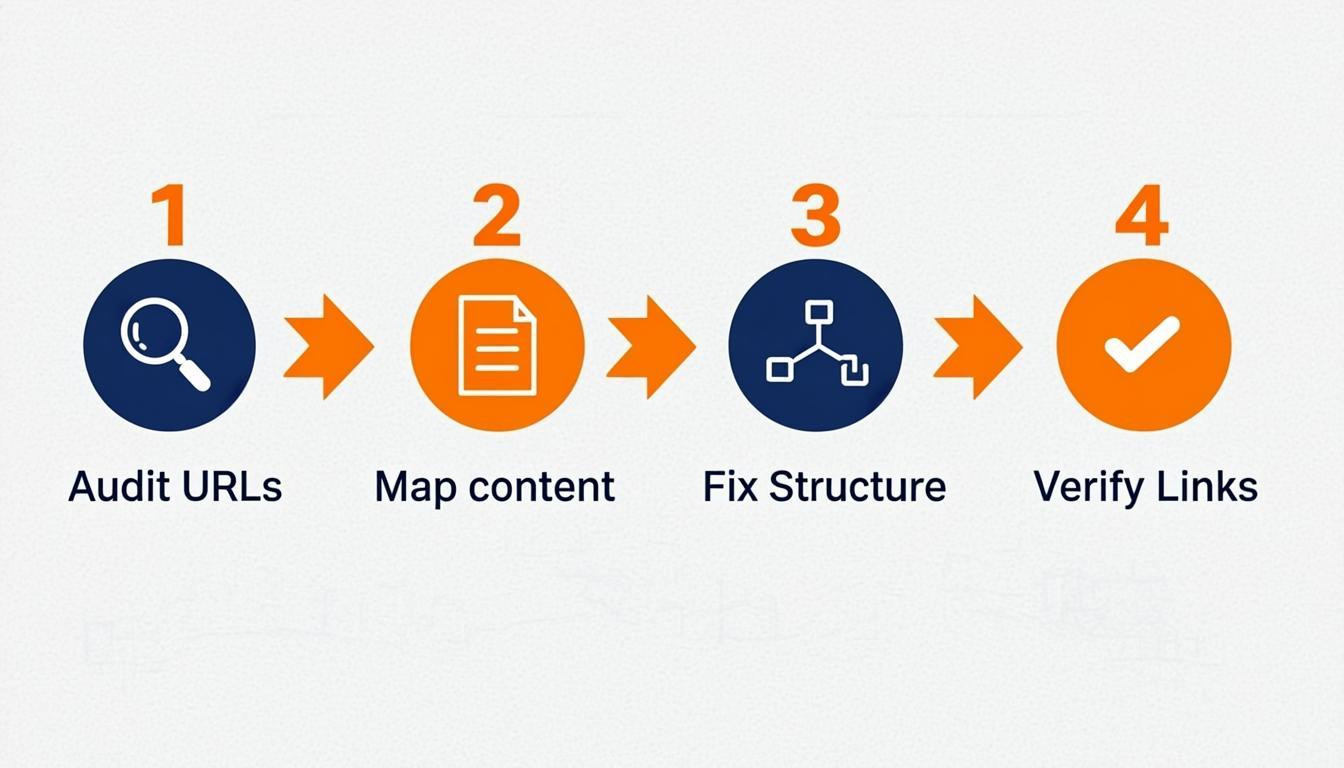
Step 1: Conduct a Content Audit and URL Analysis
A content audit is the best way to spot gaps, duplication, and structural weaknesses that might be holding back your search performance. By cataloging your existing posts and analyzing URL patterns, you can uncover opportunities to consolidate thin content and establish a logical hierarchy. This process ensures that every page serves a distinct purpose and aligns with what users are actually looking for.
To get started, export all your blog URLs into a spreadsheet and categorize the content by topic, word count, and performance metrics. Keep an eye out for "orphan" pages that lack internal links and URLs that don't use descriptive keywords. For example, you’ll want to change something like `yoursite.com/p=123` to `yoursite.com/seo-guide`.
- Inventory: List every published post along with its publish date and current traffic data.
- Identify Duplicates: Flag multiple posts that cover the exact same keyword intent.
- Analyze Structure: Check if your URLs follow a consistent, logical taxonomy.
- Action Plan: Mark low-performing posts for deletion, redirection, or updates to strengthen your overall site architecture.
Step 2: Organize Content into Topic Clusters
If you really want to master how to fix blog structure, you need to move away from publishing isolated posts and embrace a topic cluster model. This approach organizes content around a central "pillar" page that broadly covers a core topic, while multiple "cluster" pieces link back to it covering specific subtopics. This architecture establishes clear topical authority and helps search engines understand the semantic relationships between your articles.
To put this into play, audit your existing content to find overlapping themes. Group related articles together and designate the most comprehensive guide as the pillar page. Make sure every cluster post contains a contextual link pointing back to the pillar using consistent anchor text. For example, a massive guide on "Digital Marketing" serves as the pillar, linking out to specific clusters like "Email Marketing Best Practices" or "SEO Basics." This internal linking structure distributes page authority evenly and improves navigation by keeping readers engaged with relevant content.
Step 3: Optimize Your Heading Hierarchy (H1, H2, H3)
A logical heading hierarchy organizes your content for both search engine crawlers and human readers. Search engines use these tags to grasp the context and relationship between different sections of your text. Proper structure improves accessibility and helps search engines determine just how relevant your content is for your target keyword.
To implement this effectively, ensure your page follows a strict, nested order. You should use only one H1 tag per page—usually containing your primary keyword. Subsequent sections must utilize H2 tags for main topics and H3 tags for specific sub-points. Never skip levels, such as jumping from an H2 directly to an H4.
Here is a quick implementation checklist:
- Limit H1 Tags: Use exactly one H1 for the main post title.
- Use H2s for Sections: Break down broad themes into H2 headers.
- Nest H3s: Place H3s under H2s to support the main argument with granular details.
- Include Keywords: Naturally integrate semantic variations of your main keyword in H2s and H3s.
For example, an H2 like "Structuring Headers" might contain an H3 titled "Setting Up H2 Tags." This creates a clear, scannable outline that significantly enhances the user experience.
Step 4: Simplify Website Navigation and Menus
Complex navigation frustrates users and prevents search engine bots from efficiently crawling your content. A streamlined menu structure distributes link equity effectively and ensures visitors can find relevant posts within just three clicks. This directly supports the goal of fixing your blog structure by reducing bounce rates and improving indexation. Keep your primary menu lean, focusing on main categories rather than individual posts.
To make this happen, audit your current menu items and remove any redundant links. Use descriptive, keyword-rich labels for categories rather than generic terms.
- Limit top-level items: Restrict your main navigation bar to 5-7 essential categories.
- Use breadcrumbs: Implement breadcrumb trails to show users their path (e.g., Home > SEO > Technical SEO).
- Add a search bar: Include a functional search box to help users locate specific topics quickly.
Make sure your navigation is consistent across all pages. Logical grouping of content helps search engines understand the topical relationship between your posts, which is essential for establishing a solid site architecture.
Step 5: Implement a Logical Internal Linking Strategy
A logical internal linking structure connects related content, helping users navigate and distributing page authority efficiently. To fix blog structure, ensure every post links to a parent pillar page and relevant sibling articles. This creates a topical cluster that signals relevance and depth to search engines.
Start by mapping out your content relationships. Follow these steps:
- Audit existing links: Identify orphan pages that are lacking internal links.
- Add contextual links: Insert descriptive anchor text within the body of your posts rather than relying solely on navigation menus.
- Link to pillars: Ensure cluster pages link back to the main comprehensive guide on the topic.
For example, a post about "knee pain exercises" should link to a main "Running Injury Prevention" guide. This approach reduces bounce rates and keeps readers engaged longer by offering immediate value through deeper reading options. Regularly updating these links helps maintain a robust, interconnected site architecture.
Step 6: Improve Readability with Scannable Formatting
To fully grasp how to fix blog structure, you have to address how users actually consume content. Most online readers don't read word-for-word; they scan for specific information. Large blocks of text are a major deterrent and increase bounce rates. Breaking content into digestible chunks keeps users engaged and signals value to search engines.
How to implement
Transform dense paragraphs into short, concise segments of two to three sentences. Use varied formatting elements to guide the eye and organize information logically.
- Use descriptive subheadings: Ensure H2s and H3s clearly summarize the section below them.
- Incorporate bullet points: Lists are ideal for features, steps, or benefits, allowing for quick comprehension.
- Highlight key terms: Use bold text sparingly to emphasize important concepts without overwhelming the reader.
For instance, instead of writing a long paragraph about pricing options, use a bulleted list detailing each tier. This approach improves the user experience by making the page visually appealing and easy to navigate.
Step 7: Enhance Mobile Responsiveness and Page Speed
Optimizing for mobile devices and load times is essential when learning how to fix blog structure. A site that adapts fluidly to different screen sizes prevents user frustration and significantly reduces bounce rates. At the same time, fast loading speeds improve crawl efficiency and keep visitors engaged longer.
To implement these improvements effectively:
- Compress Images: Use modern formats like WebP to reduce file size without sacrificing visual quality.
- Enable Browser Caching: Configure your server to store static resources locally on a user's device, speeding up load times for repeat visits.
- Minify Code: Remove unnecessary characters, spaces, and line breaks from your HTML, CSS, and JavaScript files to streamline parsing.
- Utilize Responsive Design: Employ CSS Grid or Flexbox to ensure layout elements resize automatically based on the viewport width.
For example, test your blog using Google's PageSpeed Insights to identify specific scripts blocking rendering. Prioritize fixing "Above the Fold" content to ensure the main part of your blog loads instantly, providing an immediate positive user experience.
Conclusion
Optimizing your content architecture is vital for both search engine visibility and user retention. Learning how to fix blog structure requires a strategic approach that balances technical hierarchy with clear, scannable formatting. A well-organized post guides crawlers through your content logic while helping readers find answers quickly.
Key takeaways for effective structural optimization include:
- Logical Hierarchy: Use H1, H2, and H3 tags sequentially to create a clear outline that search engines can easily parse.
- Scannable Formatting: Break text walls into short paragraphs of two to three sentences and use bullet points to improve readability.
- Internal Linking: Connect relevant articles to distribute link equity and keep users engaged on your site longer.
- Mobile Responsiveness: Ensure headers and white space render correctly on smaller screens to maintain a positive user experience.
Implementing these changes transforms a chaotic draft into a cohesive resource. By prioritizing structure, you enhance crawlability and reduce bounce rates, ultimately supporting higher rankings. Focus on clarity and logic to ensure every post serves its intended purpose effectively.


Comments
0