
Introduction
There is nothing quite as frustrating as a slow website. It drives visitors away and can seriously hurt your search engine rankings. Since speed is now a critical ranking factor tied to Core Web Vitals and Interaction to Next Paint (INP), your performance directly affects your visibility online. To understand what’s slowing down your website (and how to fix it), you need to diagnose the root causes using the right data. It all starts with accurately measuring key indicators like server response time, page size, and HTTP requests.
Good diagnostics mean looking at both lab data and real user metrics. Lab tests are great for debugging technical issues, while field data shows you how actual people experience your site.
Usually, the culprits dragging down performance are pretty standard:
- Images that haven't been optimized for modern formats like WebP
- Too much JavaScript executing and blocking the main thread
- Missing browser caching or a Content Delivery Network (CDN)
- Render-blocking resources that delay the largest contentful paint
By benchmarking your current speeds and keeping an eye on these metrics, you can pinpoint exactly where the pain points are and streamline your site for a much smoother user experience.
Tip 1: Leverage Synthetic and Real-User Monitoring Tools
Fix Slow Website Speed Today
Optimize your site's performance with Hostinger's fast servers and built-in LiteSpeed caching for lightning-fast load times.
If you want to know what’s slowing down your website, you have to look past simple load times. The best approach combines synthetic monitoring with Real-User Monitoring (RUM). Synthetic tools, or lab tests, let you debug specific code issues by simulating page loads in a controlled environment. On the flip side, RUM data validates how actual visitors experience your site across all sorts of devices and network conditions.
Start by tracking essential Key Performance Indicators (KPIs) like Core Web Vitals, server response time, and HTTP requests. Pay special attention to Largest Contentful Paint (LCP), First Input Delay (FID), and Cumulative Layout Shift (CLS), as these have a direct impact on user retention and search rankings.
- Combine data sources: Use tools that offer both lab diagnostics and field data so you can spot technical bottlenecks while understanding real-world experiences.
- Audit main-thread activity: Dig into JavaScript execution and layout shifts to find resource-heavy elements that might be blocking rendering.
- Establish a baseline: Benchmark your current speeds before you make changes so you can prioritize the most critical optimizations.
Tip 2: Modernize Hosting Infrastructure
Solid hosting is the foundation of any successful website. Outdated servers often just don't have the resources to handle modern traffic, which leads to slow response times and frequent downtime. Addressing inadequate hosting is a critical step in determining what’s slowing down your website (and how to fix it), since server performance directly impacts user experience and search rankings.
To get the best speed possible, you need to move past basic shared hosting plans. Upgrade to solutions that offer dedicated resources or advanced caching mechanisms.
- Upgrade to VPS or Cloud Hosting: These environments give you dedicated CPU and RAM, preventing the slowdowns that happen when other sites on the same server consume resources.
- Prioritize NVMe SSD Storage: Modern NVMe drives offer significantly faster data retrieval speeds compared to older SATA SSDs or HDDs.
- Utilize a Content Delivery Network (CDN): Distribute your static assets across a global network of servers to cut down latency for visitors all over the world.
- Enable HTTP/3: Make sure your host supports the latest HTTP protocol to minimize connection latency and improve transfer speeds.
Tip 3: Eliminate Code Bloat by Minifying Assets
Uncompressed CSS, JavaScript, and HTML files are major contributors to poor performance. Development files are often full of unnecessary spaces, line breaks, and comments to make them readable for humans. While helpful for developers, these formatting elements create bloated files that increase load times for visitors. Minifying removes this extra whitespace without changing the code's functionality, resulting in lighter, faster-loading pages.
But just minifying isn't always enough. You also need to address unused code. Many sites load CSS rules or JavaScript functions that never actually execute on specific pages. Removing these unused assets can significantly reduce page size. Also, get rid of duplicate or outdated scripts to further streamline your codebase.
To fix these issues, try these strategies:
- Automate the process: Use build tools like Webpack or plugins to automatically minify files whenever you update them.
- Remove unused code: Audit your stylesheets and scripts to delete CSS classes and functions that aren't active on your site.
- Leverage text compression: Enable Gzip or Brotli compression on your server to reduce file transmission sizes even further.
- Audit regularly: Use browser DevTools to spot heavy scripts and keep track of your optimization progress over time.
Tip 4: Optimize and Compress All Media Assets
Heavy media files are one of the biggest reasons for sluggish page loads. Large, high-resolution images and uncompressed code files eat up a lot of bandwidth, delaying the time it takes for content to actually appear. To really understand what’s slowing down your website, you have to address the file sizes of your visual and code assets.
Modern formats offer superior compression without any noticeable loss in quality. Converting traditional files to WebP can drastically reduce data usage. On top of that, development files often contain unnecessary spaces, comments, and formatting that bloat the final product. Minifying these files ensures visitors get the leanest version possible.
Implement these strategies to streamline your media:
- Compress Images: Lower quality levels to around 85 and switch to modern formats like WebP.
- Minify Code: Strip out unnecessary characters, whitespace, and comments from CSS, JavaScript, and HTML files.
- Remove Unused Assets: Delete any CSS or JavaScript rules that aren't being executed on the page.
- Eliminate Redundancy: Scan for and remove outdated or duplicated scripts that just add extra weight.
Tip 5: Audit and Remove Unnecessary Plugins and Scripts
Plugins are often the main culprit when figuring out what’s slowing down your website (and how to fix it). Every installed plugin adds weight, increases server response times, and introduces potential conflicts. Adopting a minimalist approach is essential; keep only what is actively necessary for your site to function.
Try to conduct a quarterly audit to identify and eliminate bloat. Remove unused social sharing counters or animated effects that might have seemed appealing at first but are now hurting your performance. Duplicate JavaScript and CSS files are also common and create unnecessary HTTP requests that impair page load times.
Follow these steps to clean up your site:
- Deactivate unused plugins: Delete anything that hasn't been used in the last six months.
- Check for duplicates: Remove redundant scripts that cause the browser to load the same files multiple times.
- Evaluate script impact: Before installing new plugins, check file sizes and user reviews to see how they affect performance.
- Minify code: Make sure your remaining CSS and JavaScript files are minified to remove unnecessary characters and reduce overall file size.
Reducing the number of active components lowers CPU usage and creates a lighter, faster browsing environment.
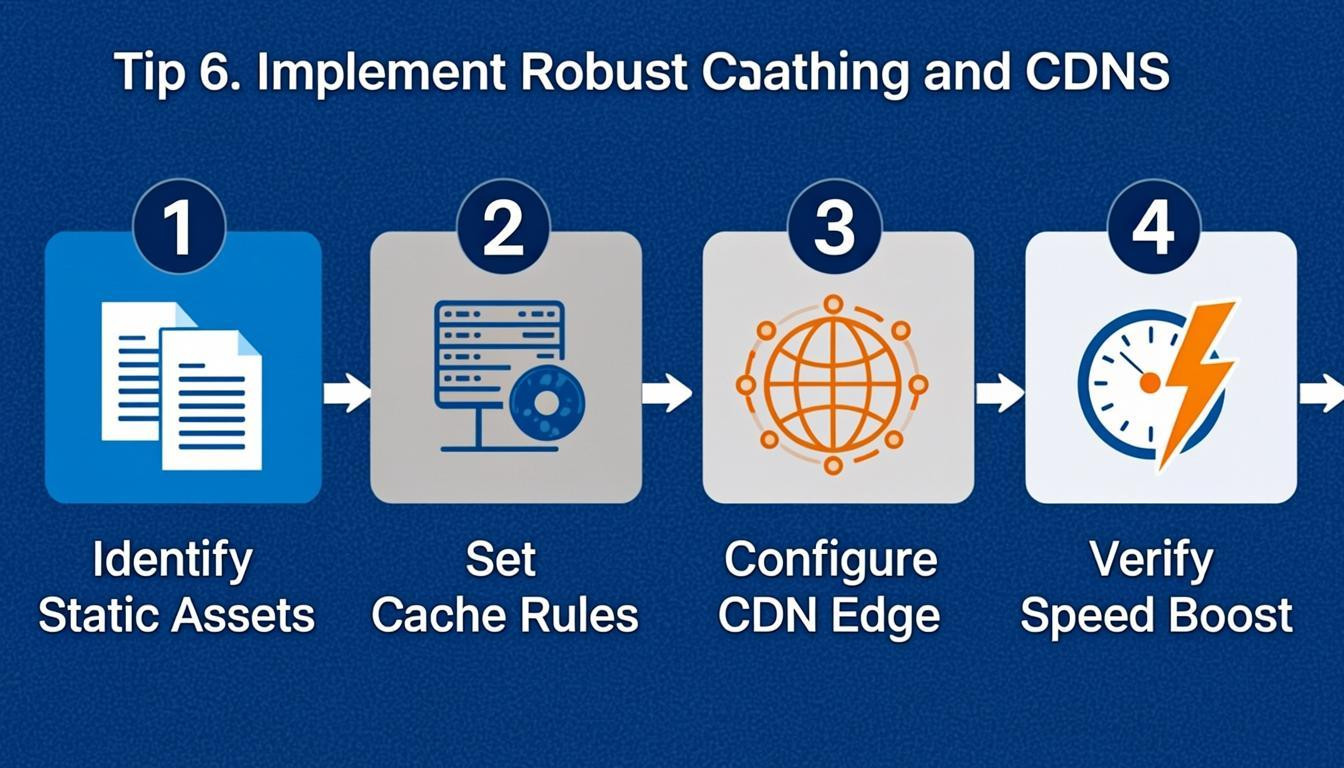
Tip 6: Implement Robust Caching and CDNs
Unoptimized content delivery is a major factor slowing down your website. Without proper mechanisms, browsers have to reload every file and image every time someone visits, while distant servers struggle to deliver data quickly to users far away. Implementing robust caching strategies and Content Delivery Networks (CDNs) significantly reduces server load and latency by storing copies of your site closer to your visitors.
To resolve these bottlenecks, configure your browser caching headers and leverage a global CDN.
- Configure Browser Caching: Set expiry headers for static assets like images, CSS, and JavaScript. This tells the user's browser to store local copies, preventing unnecessary server requests during subsequent visits.
- Utilize a CDN: Distribute your website's static files across a network of global servers. This ensures content loads from a geographically closer location, minimizing physical distance and latency.
- Minify Assets: Compress code files by removing unnecessary characters, whitespace, and comments. This reduces file size, ensuring faster transmission from the CDN or server to the end-user.
Making these changes directly addresses the distance and redundancy issues that degrade performance.
Tip 7: Prioritize Regular Updates and Maintenance
Outdated software is a common culprit when determining what’s slowing down your website (and how to fix it). Developers frequently release patches that refine code efficiency, introduce native optimizations, and resolve security vulnerabilities that can bog down performance. A neglected site becomes susceptible to bloated databases and compatibility conflicts, which directly increase load times. Treating updates as a routine maintenance task rather than an occasional chore ensures your site runs on the most efficient and secure version available.
To maintain peak performance, implement a consistent maintenance schedule:
- Update Core Components: Regularly apply updates to your content management system, themes, and plugins to benefit from bug fixes and speed enhancements.
- Clean Your Database: Remove unnecessary data, such as spam comments and post revisions, to reduce server response time.
- Test After Updates: Always check your site immediately after applying updates to ensure new changes haven't introduced conflicts that slow down functionality.
Conclusion
Optimizing your site requires consistent attention to detail. Regularly auditing your speed with tools like Google PageSpeed Insights or WebPageTest helps you identify bottlenecks and track essential metrics like Largest Contentful Paint and Cumulative Layout Shift. These diagnostics reveal whether unoptimized images, heavy scripts, or server response times are the primary culprits dragging down your user experience.
Addressing these issues creates a smoother, faster environment for your visitors. By compressing assets, leveraging browser caching, and minimizing code, you ensure your pages load efficiently across all devices. Don't let technical complexities hold your business back.
Take control of your digital presence today. Start by running a speed audit to discover what’s slowing down your website (and how to fix it). Implementing these improvements will boost your search rankings and keep your audience engaged.

Comments
0