
Introduction
Imagine a potential customer landing on your page, credit card in hand, only to abandon their cart seconds later. It is a frustratingly common scenario that often stems from subtle flaws in design and security. When a site looks cluttered, lacks clear navigation, or fails to display recognizable security indicators, visitors instinctively retreat. Understanding this is why people don’t trust your website is the first step toward fixing a leaking sales funnel and building lasting credibility.
Trust is the currency of the digital economy, yet it is remarkably fragile. Users today are vigilant and look for specific signals before engaging with a brand. If your site does not immediately convey professionalism and safety, you lose business to competitors who do. Common barriers to trust include:
- Outdated or cluttered layouts that confuse visitors and obscure important information.
- Missing security indicators, such as SSL certificates and familiar payment logos like PayPal or major credit cards.
- Lack of social proof, including verified reviews and trust badges from reputable security scanners.
Building a secure, user-friendly environment bridges the gap between technical robustness and market confidence. Addressing these elements transforms a skeptical visitor into a loyal customer.
Build Trust with Reliable Hosting
Secure your site and boost credibility with Hostinger’s fast, secure, and affordable hosting plans.
Fixe 1: Eliminate Cluttered Layouts and Unreliable Branding
Confusion undermines trust quickly. When visitors encounter inconsistent fonts, clashing colors, or varying logos across different pages, it blurs your brand identity. This inconsistency signals a lack of attention to detail, which raises immediate doubts about your reliability. To combat this, strictly adhere to documented brand guidelines. A consistent visual language strengthens brand memory and reinforces audience confidence.
Additionally, cluttered layouts frustrate users. An overload of text and disorganized elements hides your core message, causing visitors to leave before engaging. A clean, structured design is essential for retaining attention and guiding users toward your goals.
To improve your site immediately:
- Standardize visuals: Use the exact same color palettes, typography, and logo placements on every page.
- Simplify navigation: Remove unnecessary sidebar widgets and excessive menu items to highlight critical content.
- Create breathing room: Increase white space to prevent visual fatigue and help key elements stand out.
- Audit your pages: Regularly review your site to ensure no page deviates from your established style guide.
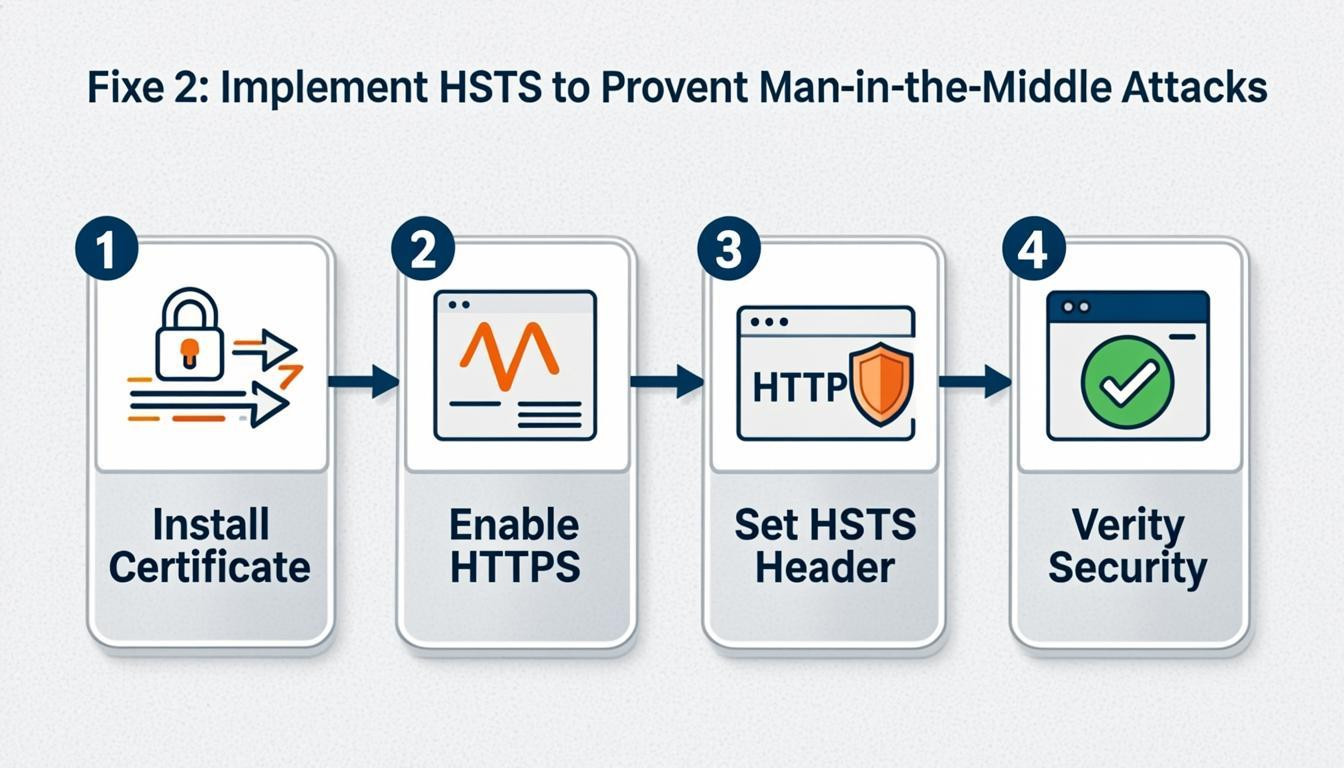
Fixe 2: Implement HSTS to Prevent Man-in-the-Middle Attacks
Implementing HTTP Strict Transport Security (HSTS) is a technical necessity to stop attackers from stripping encryption and intercepting data. If a user types "http://" or clicks a malicious link, HSTS forces the browser to reject the insecure connection and upgrade to HTTPS automatically. Without this, a "man-in-the-middle" attack can downgrade the connection, exposing sensitive user information. This technical failure is often this is why people don’t trust your website, as it leaves the door open for eavesdropping.
Many site builders obscure this setting, but you must ensure the HSTS header is active on your server configuration to harden security.
- Check your headers: Use online security tools to verify if the `Strict-Transport-Security` header is present.
- Set a long max-age: Configure the header with a duration of at least one year (e.g., `max-age=31536000`) to ensure long-term protection.
- Include subdomains: Add the `includeSubDomains` directive to secure all areas of your domain.
Fixe 3: Showcase Verified Trust Badges Near Checkout
Users often abandon their carts because they are unsure about the safety of their financial data. Unfamiliar payment forms or a lack of visible security measures can create hesitation, making potential customers question the legitimacy of your business. This is why people don’t trust your website if it lacks recognizable symbols of safety near the critical purchase point.
To alleviate these fears, display verified trust badges directly next to the "Place Order" button and within the footer of checkout pages. Avoid cluttering the screen; instead, use high-quality icons that are easy to read on both desktop and mobile devices.
Implement the following specific strategies to build credibility:
- Display security certifications: Use icons from recognized security scanners to confirm your site is regularly checked for malware and vulnerabilities.
- Highlight payment methods: Show logos for major credit cards and digital wallets to reassure users who prefer specific, protected payment options.
- Showcase social proof: Present concise star ratings or review counts from verified platforms to demonstrate that others have purchased successfully.
Fixe 4: Integrate Authentic Social Proof and Reviews
The absence of social proof creates hesitation for new visitors. People naturally look to the behavior of others to guide their decisions when facing uncertainty. Without external validation, the perceived risk of buying from an unknown business increases significantly. Adding just a handful of genuine reviews can increase conversion rates by a meaningful amount, transforming a passive browser into a confident buyer.
To leverage this psychological trigger, weave trust signals into the design rather than treating them as an afterthought. Display testimonials prominently near call-to-action buttons and on product pages to reduce user anxiety.
- Showcase recent testimonials: Feature customer names and photos next to positive feedback to humanize your brand and validate claims.
- Highlight user-generated content: Encourage buyers to share photos or videos of your products in action to demonstrate real-world usage.
- Aggregate ratings: Display star ratings visibly in search results and category pages to establish credibility before a visitor even clicks through.
Prioritizing authentic feedback addresses the core issue of this is why people don’t trust your website by providing the evidence needed to overcome skepticism.
Fixe 5: Prioritize Transparent Data Practices and User Limits
Users are increasingly wary of how their data fuels opaque algorithms designed for corporate gain rather than human benefit. This perception erodes confidence, making clear data justification a critical requirement. To combat this, you must move beyond fine print and build systems that explain exactly how decisions are made and why specific data points are necessary. When users understand the logic behind data collection, they feel respected rather than exploited.
Simultaneously, security risks increase with every additional user account that holds access to your website backend. Each account represents a potential doorway for unauthorized entry. By strictly limiting user access, you reduce the attack surface and protect sensitive visitor information.
- Explain your "why": Clearly state the specific purpose for every piece of data collected.
- Limit administrative access: Grant backend access only to essential personnel.
- Audit accounts regularly: Review and remove inactive or unnecessary user accounts.
- Use plain language: Avoid legal jargon in privacy policies to ensure true understanding.
Conclusion
Building a secure website is no longer optional; it is the foundation of online success. From implementing multi-layered security architectures and post-quantum encryption to managing dynamic access reviews, technical robustness directly correlates with market trust. Exposing a site to the internet invites risks like port scans and malware, but proactive measures prevent these vulnerabilities. This is why people don’t trust your website: if they do not see clear evidence of security, they will not engage.
To immediately signal safety and professionalism, take these essential steps:
- Limit user access: Reduce potential entry points for hackers by revoking credentials immediately when contractors leave and strictly controlling the number of active accounts.
- Display trust badges: Showcase recognizable symbols, such as McAfee Secure, PayPal Verified, and major card logos near checkout areas to reassure users about payments.
- Highlight social proof: Use concise star ratings from verified review platforms to demonstrate reliability.
You do not need to be an IT expert to secure your digital presence. By focusing on smart best practices and leveraging secure hosting environments, you can protect your business and foster lasting customer confidence. Start prioritizing website security today to turn visitors into loyal clients.

Comments
0