

Introduction
Discovering why your blog has no traffic often starts with spotting invisible technical barriers. You might have pages accidentally blocked from indexing by a `robots.txt` file or `noindex` tags. These errors, combined with duplicate content lacking canonical tags, stop search engines from properly reading and ranking your posts. Even if your writing is top-notch, issues with crawlability, site speed, or mobile usability can sever the connection between you and your audience.
The digital landscape is also shifting. Search behavior is changing due to AI and evolving user expectations. Modern algorithms prioritize depth and direct answers over simple keyword stuffing. Successful blogs today focus on establishing topic authority rather than targeting isolated terms. This evolution might mean fewer overall clicks, but it usually attracts higher-intent visitors who genuinely care about your expertise. To adapt, you need to move beyond surface-level optimization and think about how your content fits into a broader ecosystem.
Fixe 1: Uncover and Resolve Crawlability and Indexing Blocks
Diagnose Why Your Blog Has No Traffic
Use Semrush’s Site Audit tool to instantly spot crawl errors and indexing blocks killing your rankings.
One major reason why your blog has no traffic is that search engines physically cannot access or list your pages. These invisible barriers often come from misconfigured settings like a `robots.txt` file blocking bots, a `noindex` meta tag preventing storage, or incorrect canonical tags pointing to different URLs. These mistakes stop your ranking potential before content quality is even considered.
To fix this, perform a thorough technical review using dedicated site audit tools. These scans help you find error codes and restricted access points that might otherwise go unnoticed.
Take these implementation steps immediately:
- Inspect the `robots.txt` file to ensure it does not disallow crawling of key blog directories.
- Review meta tags on high-value posts to confirm the `noindex` directive is not present.
- Audit canonical tags to verify they point to the preferred, self-referencing URL to consolidate ranking signals.
- Submit an updated XML sitemap to search consoles to help bots discover and prioritize your content efficiently.
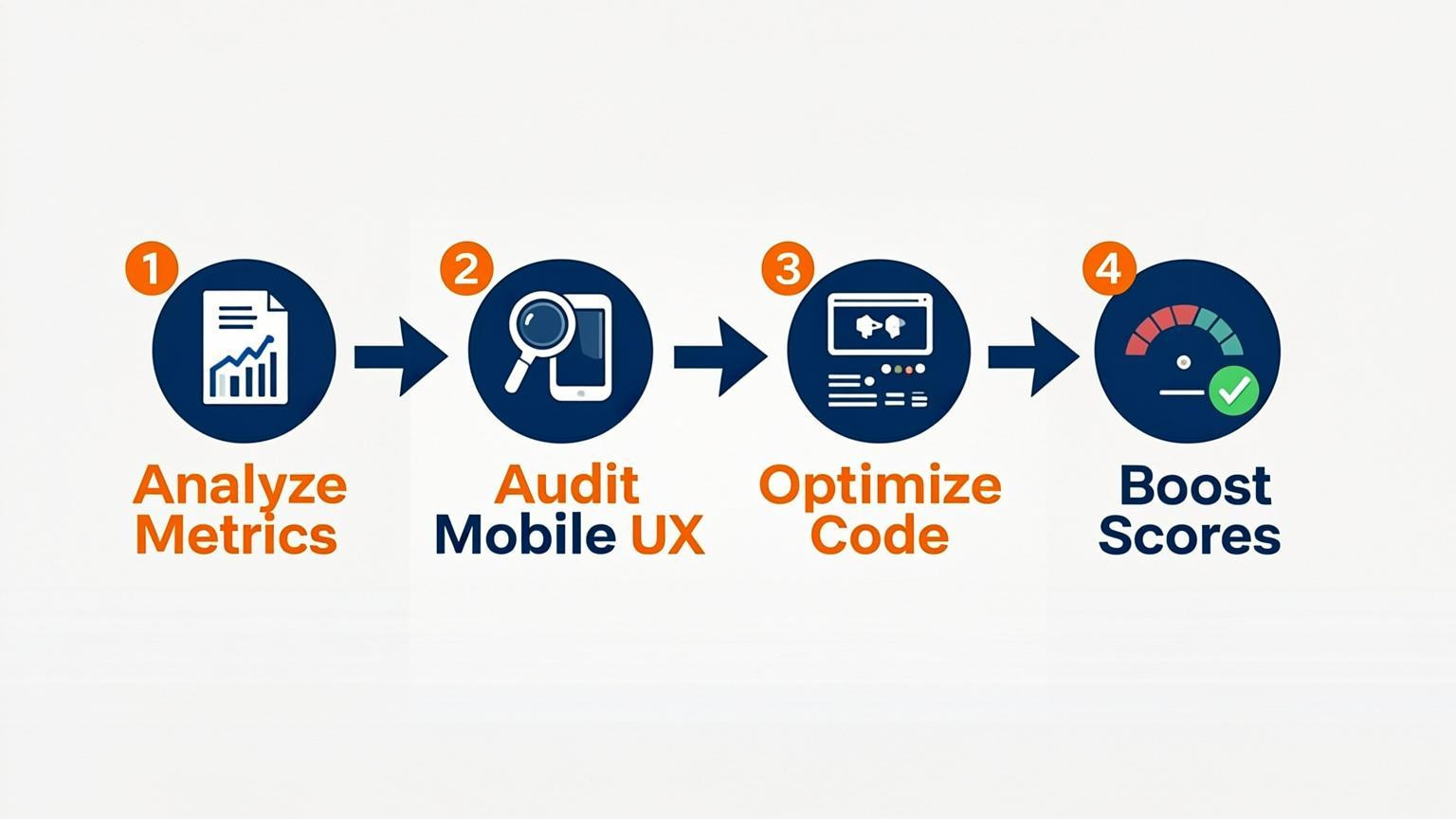
Fixe 2: Optimize for Core Web Vitals and Mobile Usability
Slow load times and poor mobile experiences are primary reasons why your blog has no traffic. Search engines prioritize user experience, meaning sites with sluggish performance or difficult navigation on mobile devices rarely rank well. To address this, focus on specific technical pillars like crawlability, site speed, and mobile responsiveness. A technically sound site ensures search engines can read, render, and index your content properly.
Implement these improvements by focusing on the following areas:
- Audit Core Web Vitals: Measure and optimize metrics like Largest Contentful Paint (LCP) and Cumulative Layout Shift (CLS). Compress images and leverage browser caching to improve Time to First Byte (TTFB).
- Ensure Mobile Responsiveness: Verify that your layout adapts fluidly to different screen sizes. Text should be readable without zooming, and interactive elements must be spaced adequately to prevent accidental clicks.
- Facilitate Crawling: Check your robots.txt file and XML sitemap to ensure you are not accidentally blocking search engine bots from accessing important pages.
Fixing these technical barriers creates a seamless foundation for both users and search algorithms.
Fixe 3: Refine On-Page Signals (Meta Tags and Headers)
Optimizing meta tags and headers is a direct way to address why your blog has no traffic. Even with high-quality content, weak on-page signals can lower click-through rates and confuse search engine crawlers about your page's relevance.
To maximize click-through rates, focus on crafting compelling titles and descriptions. Your title tag should include your primary keyword and clearly promise a solution or benefit. For example, instead of a generic title like "Baking Bread," use "How to Bake Sourdough Bread: A Step-by-Step Guide." The meta description should act as organic ad copy, providing a concise summary that encourages the user to click.
Implement these changes by following these steps:
- Review Header Hierarchy: Ensure H1 tags are unique and describe the main topic. Use H2 and H3 tags to structure content logically for both readers and algorithms.
- Audit Lengths: Keep title tags under 60 characters and meta descriptions around 155-160 characters to prevent truncation in search results.
- Keyword Placement: Place your target keyword naturally in the title, the first paragraph, and at least one subheader.
Small adjustments to these elements often result in immediate visibility improvements.
Fixe 4: Adapt Content for AI Overviews and Zero-Click Searches
The rise of AI-generated answers and zero-click results is a primary driver of traffic decline, with a majority of searches now resolving directly on the results page. To understand why your blog has no traffic, you must optimize for these direct answers by becoming the source AI engines cite. This requires answering queries clearly and immediately within your content.
To implement this, restructure your articles to prioritize directness. Instead of burying the answer, provide a concise summary at the very top of the page.
- Use "What is" and "How to" headers: These formats trigger direct answer boxes.
- Adopt the "inverted pyramid" style: Place the core conclusion or solution in the first paragraph, followed by supporting details.
- Format for extraction: Use bullet points and numbered lists for steps or definitions, as AI models favor structured data for summarization.
For example, if writing about coffee brewing, state the ideal water temperature immediately in the opening sentence rather than midway through the text. This positioning captures visibility even when users do not click through.
Fixe 5: Build Topical Authority Instead of Isolated Keywords
Search engines no longer evaluate individual pages in isolation; they assess how pages connect to demonstrate real expertise. Creating scattered articles targeting random phrases fails to establish the comprehensive signals necessary to rank. When considering why your blog has no traffic, recognize that algorithms prioritize clusters of in-depth content over single posts. By covering a subject broadly, you signal that your brand is the definitive resource, encouraging systems to reference your content more frequently.
To implement this strategy, shift focus from keyword volume to semantic depth.
- Identify content pillars: Select broad core topics relevant to your audience.
- Create supporting clusters: Write detailed articles answering specific sub-questions and anticipate follow-up inquiries.
- Link internally: Connect all cluster pages back to the main pillar using descriptive anchor text.
For example, instead of writing separate posts on "running shoes," "marathon gear," and "sprinting tips," build a single "Marathon Training Guide" hub. Surround this hub with specific articles addressing every nuance of the topic. This approach builds a cohesive ecosystem that satisfies both user intent and algorithmic requirements for authority.
Fixe 6: Fix Duplicate Content and Canonicalization Issues
Duplicate content confuses search engines, forcing them to choose which version of a page to rank. This often splits your ranking signals across multiple URLs, significantly diluting the authority of your best content. If you are wondering why your blog has no traffic, realize that without a clear directive, your pages compete against each other rather than against external competitors. Consolidating these signals focuses all "link juice" and relevance onto a single, authoritative page.
Implement canonical tags to resolve this issue and guide search engines to your preferred URL. This code element tells search engines which version of a page should be considered the master when duplicates exist.
Follow these steps to implement:
- Audit URLs: Identify near-duplicate pages, such as HTTP vs. HTTPS versions or print-friendly variations.
- Choose the Canonical: Decide which page offers the most value or contains the primary content.
- Add the Tag: Place `` in the `` section of all duplicate pages.
For example, if a product page sorts by price and creates a new URL, the sorted page should canonicalize back to the original main page. This ensures that user engagement metrics and backlinks point to one source.
Fixe 7: Shift from Content Quantity to Content Quality
A primary reason why your blog has no traffic is a focus on volume rather than value. Publishing multiple short articles rarely outperforms a single, comprehensive guide that addresses a user's specific problem in depth. Search engines increasingly prioritize clarity, structure, and usefulness over mere word count. To resolve this, stop churning out brief posts and start building authoritative resources that demonstrate real topical expertise.
Implement this strategy by auditing existing content to identify thin pages and consolidating them into robust "pillar" pages. Ensure every piece provides actionable advice rather than generic information. For example, transform five short articles on basic SEO tips into one ultimate guide covering technical checks, on-page optimization, and content quality. This approach aligns with AI-driven search systems and improves engagement metrics. Focus on making one page the definitive answer to a query rather than scattering weak signals across multiple URLs.
Conclusion
Understanding why your blog has no traffic requires a shift from passive observation to active technical maintenance. Low visibility often involves indexing barriers, such as pages accidentally blocked by robots.txt directives or "noindex" tags. These errors are invisible to the site owner but completely prevent search engines from ranking the content. Similarly, duplicate content without proper canonical tags splits ranking signals across multiple URLs, diluting the potential impact of individual pages.
To resolve these hidden issues, prioritize a comprehensive audit that addresses the five pillars of technical health: crawlability, indexing, performance, structured data, and JavaScript rendering. You should also verify that analytics tracking is functioning correctly to measure user behavior accurately. Effective strategies focus on topic authority and content depth rather than isolated keywords. By systematically fixing these foundational problems, you ensure search engines can access and value your content, paving the way for sustainable organic growth.

Comments
0