
Introduction
Search engines need to discover, crawl, and render your pages effectively to rank them. If your technical foundation has gaps, search engine bots cannot access your content, leaving your writing invisible to potential readers.
Why Indexing Matters for Bloggers
Indexing acts as the bridge between publishing content and generating organic traffic. Without proper indexing, even the most brilliant, well-researched articles will fail to appear in search results. Learning how to fix indexing issues is vital because it ensures that the time spent crafting posts translates into actual visibility. A blog with clean architecture, fast load times, and mobile readiness provides the stability needed for search engines to prioritize your content over slower, unstructured competitors.
Key reasons why indexing directly impacts a blog's success include:
Fix Indexing Issues Fast
Identify crawl errors and noindex blocks instantly with Semrush's Site Audit tool to restore your visibility.
- Visibility: Pages must be indexed to compete for ranking positions.
- Crawl Efficiency: A technically sound site allows bots to find new posts quickly.
- Traffic Potential: Index coverage health directly correlates with the number of entry points for organic visitors.
Focusing on technical basics prevents future disruptions and allows your content strategy to thrive.
Fixe 1: Remove Unintended Noindex Tags and Robots.txt Blocks
Unintended noindex directives are among the most damaging obstacles when learning how to fix indexing issues. A single noindex tag within a page template can inadvertently remove thousands of pages, including blog posts or product pages, from search results. This frequently occurs when developers leave staging restrictions active after a site launch. Similarly, a misconfigured robots.txt file can accidentally block Googlebot from accessing crucial sections of your website.
To resolve these technical barriers, you must audit your site code and server configuration files.
- Inspect the source code: Check the `` section of your non-indexed pages for `` and delete the tag.
- Review HTTP headers: Use a header checker tool to ensure your server is not sending `X-Robots-Tag: noindex` responses.
- Update robots.txt: Access your robots.txt file and remove any `Disallow:` lines that target important URLs.
- Validate changes: Use a URL inspection tool to request a re-crawl after making these updates.
Fixe 2: Eliminate Soft 404 Errors and Broken Links
Soft 404 errors confuse search engines when a page returns a "200 OK" status code but displays content resembling an error page, such as "Page not found." This ambiguity wastes crawl budget and prevents legitimate content from being indexed. Similarly, broken links disrupt the crawling path, trapping bots and signaling a poorly maintained site. Resolving these errors is a fundamental step when learning how to fix indexing issues.
To address this, audit your site using Google Search Console to identify URLs flagged as Soft 404s or broken links. Implement the following corrective actions:
- Fix Soft 404s: Ensure empty pages return a proper 404 status code. If the page contains valuable content, restore it so it is substantial enough to be indexed.
- Update Internal Links: Locate and repair links pointing to non-existent pages. Instead of leaving a dead end, redirect the broken URL to the most relevant existing page using a 301 redirect.
- Clean Up External Links: Regularly scan for outbound links that lead to 404 pages and remove or update them to maintain site authority.
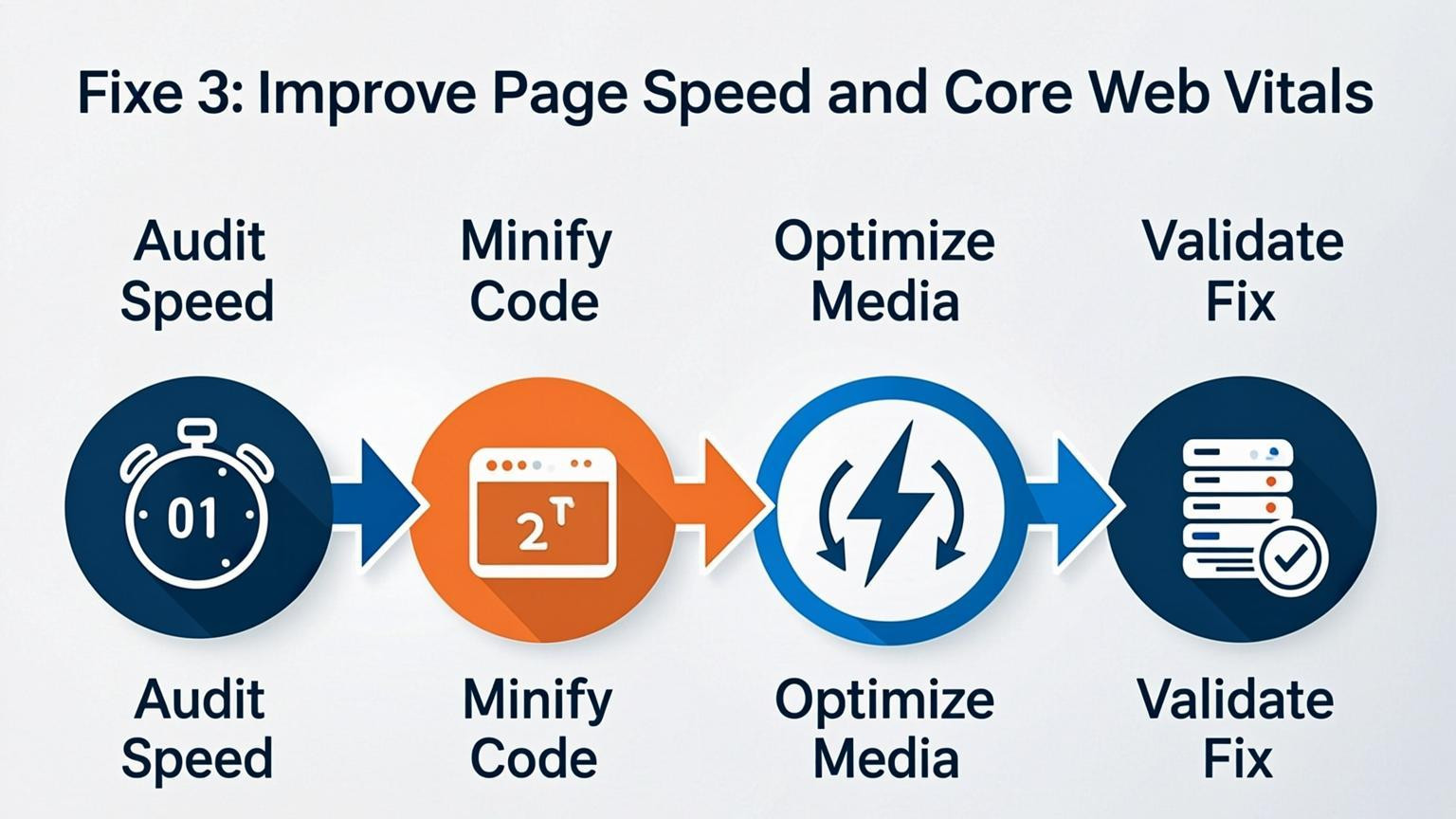
Fixe 3: Improve Page Speed and Core Web Vitals
Slow load times directly hinder how search engines crawl and render pages, making speed optimization essential when learning how to fix indexing issues. If a page takes too long to load, bots may abandon the crawl before indexing the content. You must ensure Core Web Vitals remain within ideal metrics to maintain search visibility and technical health.
Implement these steps to enhance performance immediately:
- Compress and optimize images to reduce file sizes without losing quality.
- Minimize CSS and JavaScript to streamline rendering processes.
- Leverage browser caching to store resources locally for returning visitors.
- Reduce server response times by upgrading hosting or using a Content Delivery Network (CDN).
For example, convert large PNG files to next-gen formats like WebP. Since mobile compliance is mandatory, prioritize testing your site on mobile devices to ensure fast loading speeds across all connection types. Regular audits are necessary to adapt to shifting device standards and prevent crawl budget waste.
Fixe 4: Optimize for Mobile-First Indexing
Key detail
Google primarily uses the mobile version of your site for indexing and ranking. If your mobile experience lacks content, features, or structural elements present on the desktop version, search engines may fail to index the page correctly. Mobile performance is non-negotiable, as poor responsiveness often leads to crawling bottlenecks and visibility issues. To successfully learn how to fix indexing issues, ensure your mobile site is not a trimmed-down version but a fully functional equivalent of your desktop pages.
How to implement
Ensure your site is fully responsive and aligns with ideal metrics by auditing the user experience on smaller screens. You must address layout problems that prevent search engines from accessing your content.
- Run a Mobile-Friendly Test: Use specific testing tools to identify where the mobile experience diverges from desktop.
- Fix Layout Issues: Ensure text is readable without zooming and that buttons are properly sized for touch targets.
- Improve Speed: Compress images, minimize JavaScript, and leverage browser caching to prevent mobile timeouts.
- Check Parity: Verify that all critical text, images, and links on desktop are accessible and render correctly on mobile.
Fixe 5: Consolidate Duplicate Content and Fix Canonicals
Search engines struggle to prioritize which version of a page to display when multiple URLs feature identical or substantially similar text. This often leads to indexing problems where the wrong page appears in search results or valuable pages are ignored entirely. To resolve this, you must consolidate redundant content and signal the preferred URL structure clearly. Use canonical tags to tell search engines which specific page is the "master" version when duplicates exist, such as HTTP versus HTTPS versions or print-friendly pages.
Implementation requires auditing your site for variations like URL parameters used for sorting or filtering. Once identified, apply a self-referencing canonical tag to the primary page and ensure all duplicates point to it. For low-value pages that offer no unique benefit, consider implementing a 301 redirect to merge authority into a single, robust asset.
Steps to fix canonical issues:
- Add a `rel="canonical"` link element in the `` section of duplicate pages.
- Ensure the canonical URL is accessible and returns a 200 status code.
- Consolidate content from pages with thin or overlapping text into one comprehensive guide.
Fixe 6: Enhance Content Quality to Avoid "Thin" Page Filters
Search engines prioritize high-value resources and often filter out pages that lack substance or depth. When learning how to fix indexing issues, addressing "thin" content is essential because algorithms deliberately skip low-quality or duplicate pages in favor of comprehensive information. A page may be discoverable, but if it offers minimal value or mirrors other content too closely, it will likely remain unindexed.
To resolve this, significantly expand the utility of your content to satisfy user intent thoroughly.
- Add original insights: Go beyond basic definitions by including unique data, research, or case studies.
- Incorporate media: Enhance text with relevant images, charts, or videos to improve engagement.
- Answer questions: Include an FAQ section to address common user queries directly on the page.
- Avoid duplication: Ensure the content does not substantially overlap with other URLs on your site.
For example, transform a generic product description into a detailed guide that covers usage, benefits, and troubleshooting. Reviewing indexed versus non-indexed pages within your analytics can help identify if content length or depth is the primary differentiator.
Fixe 7: Strengthen Internal Linking Structure
Key detail
A logical site architecture with robust internal links acts as a roadmap for search engine crawlers. When important pages are buried deep without sufficient inbound links, they may consume crawl budget inefficiently or go unnoticed entirely. Ensuring that high-value content is just a few clicks away from the homepage helps distribute PageRank and signals relevance. If a page lacks connections from other indexed sections of your site, discovering how to fix indexing issues becomes significantly harder, as crawlers rely on these link paths to navigate and understand content hierarchy.
How to implement
To improve your internal structure, audit your site to identify orphan pages or content buried too deep in the architecture.
- Create content hubs: Build pillar pages that broadly cover a topic and link them to detailed cluster articles.
- Add contextual links: Within relevant body copy, insert anchor text pointing to other helpful pages on your site rather than relying solely on navigation menus.
- Optimize navigation: Ensure your main menu and footer include direct links to your most critical commercial or informational pages.
For example, if you wrote a guide on digital marketing, link specific sections of that text to your individual service pages. This creates a tight web of links that guides crawlers efficiently through your website.
Conclusion
Resolving search visibility problems requires a disciplined approach to site architecture, speed, and accessibility. Learning how to fix indexing issues is critical because even superior content cannot rank if search engines cannot crawl, render, or index the pages efficiently. A technically sound foundation ensures that crawl budget is not wasted and that pages remain eligible for ranking.
Prioritizing core technical elements creates immediate improvements in performance and discoverability. Key focus areas include:
- Eliminating crawl errors and broken links
- Optimizing Core Web Vitals for ideal metrics
- Implementing structured data for enhanced context
- Ensuring mobile-first readiness and fast load times
Regular audits are necessary to catch and repair problems like duplicate content or redirect chains before they impact rankings. As search engines and AI-driven platforms evolve, maintaining a clean technical setup ensures that a website remains a reliable data source. Addressing these fundamentals allows site owners to sustain long-term growth and visibility.



Comments
0