

Introduction
Let’s face it: nobody likes waiting for a website to load. Visitors expect near-instant access to content, making page speed a critical factor for online success. In the current digital landscape, the gap between high-performing sites and slower competitors is widening, as organizations now treat speed as a strategic capability rather than a one-time technical fix. Businesses that significantly reduce load times often see measurable gains, transforming a sluggish platform into a Core Web Vitals compliant asset. If you are looking for the easiest way to improve your site performance, focusing on code optimization and visual stability offers immediate results.
Heavy scripts are frequently the primary cause of slow interaction speeds, forcing browsers to pause parsing HTML to download and run code. To combat this, site owners should prioritize:
- Deferring non-essential JavaScript to prevent blocking the main thread
- Removing unused scripts that load unnecessary libraries
- Combining multiple files into one to reduce data requests
Optimizing these elements helps browsers process pages faster and minimizes visual jumping during load times. A cleaner, leaner codebase ensures the site remains stable and responsive, providing a smoother experience for every user.
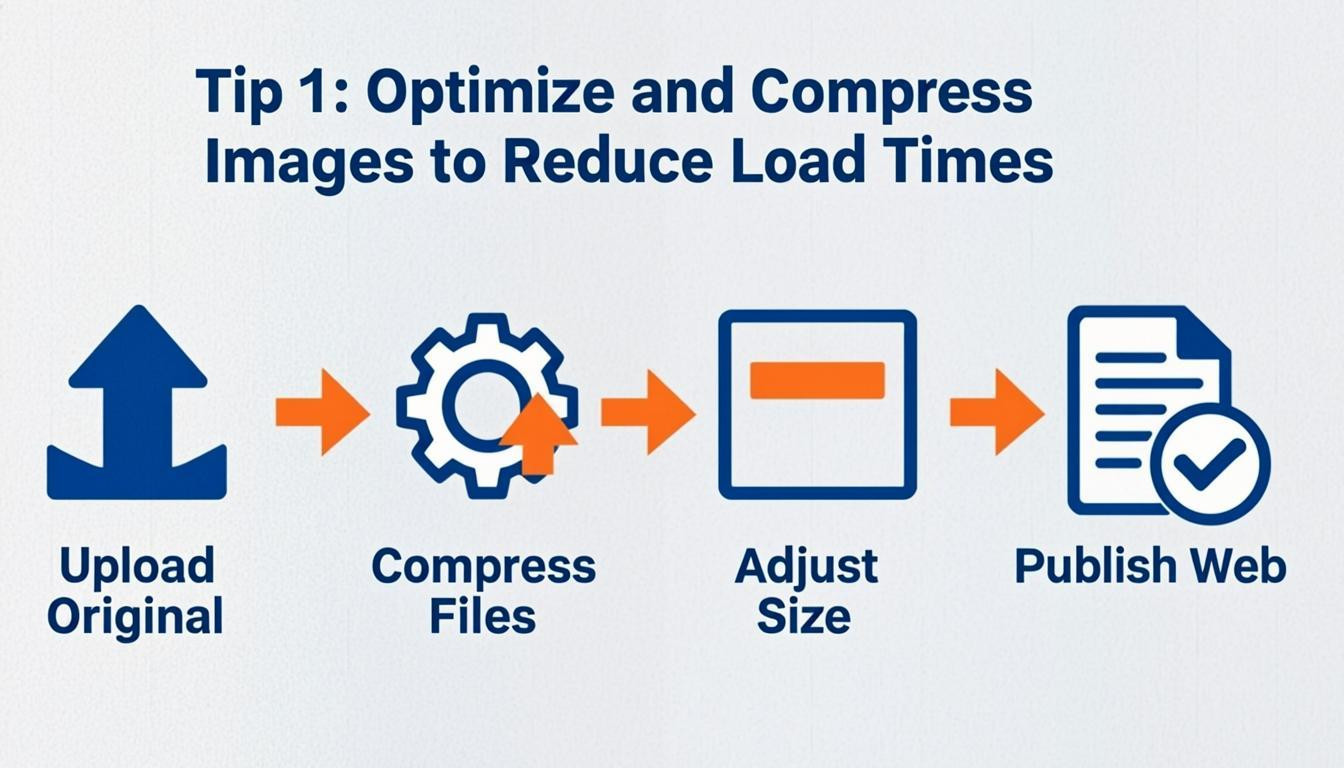
Tip 1: Optimize and Compress Images to Reduce Load Times
Images are frequently the largest contributors to total page size, making them a primary target when looking for the easiest way to improve your site performance. Loading unnecessarily large files creates significant bottlenecks that frustrate users and harm search engine rankings. To prevent this, ensure every image uploaded is compressed and sized exactly to the dimensions displayed on the page.
Rather than relying on the browser to resize a large photo, you should scale the image before uploading it. This reduces the amount of data the server must transfer, leading to faster load times. There are many tools available that can reduce file size without sacrificing visual quality.
- Resize before uploading: Match the image dimensions to the maximum width of the container where it will appear.
- Choose efficient formats: Utilize modern file types that offer superior compression for web environments.
- Compress files: Use software or online tools to strip unnecessary metadata and reduce file weight.
Implementing these changes is often the simplest step to dramatically cut down load times and enhance the user experience.
Tip 2: Defer Non-Essential JavaScript for Better Responsiveness
JavaScript is frequently the primary cause of poor Interaction to Next Paint (INP) scores. When a browser encounters a script, it must pause HTML parsing to download and execute that code. This delay blocks the main thread, making the site feel unresponsive to user input. Deferring non-critical scripts helps prioritize the loading of visible content, effectively reducing the amount of data the browser must process immediately.
To implement this, you can modify script tags or use plugins to manage loading priorities. This ensures that functionality like tracking pixels or chat widgets loads only after the primary content is fully interactive.
- Add the `defer` or `async` attributes to script tags in your HTML code
- Load non-essential scripts, such as analytics or social media feeds, after the main page content
- Remove unused JavaScript libraries and third-party tools that are no longer needed
Reducing the number of objects the server sends to the browser accelerates the overall loading process. This targeted approach is often the easiest way to improve your site performance without sacrificing functionality.
Tip 3: Minify and Combine Code Files
Reducing the complexity of your website's code is often the easiest way to improve your site performance. Browsers must process every line of code before displaying content, so excessive or messy scripts create significant delays. Many sites unknowingly load multiple JavaScript libraries or separate CSS files when fewer resources would suffice. This bloat forces the browser to make multiple server requests and process unnecessary data, slowing down the entire page load speed.
To resolve this, focus on cleaning up your backend files and removing anything that does not serve a direct purpose.
- Minify CSS and JavaScript: Remove unnecessary characters, white space, and comments to reduce file sizes without affecting functionality.
- Combine files: Merge multiple CSS or JavaScript files into a single file for each type. For example, changing 10 separate CSS requests into one combined file drastically cuts down on loading time.
- Remove unused scripts: Audit your site for old plugins, unused third-party tools, and redundant code that can be deleted entirely.
- Defer non-critical scripts: Load non-essential scripts after the main page content has finished rendering to prioritize the user experience.
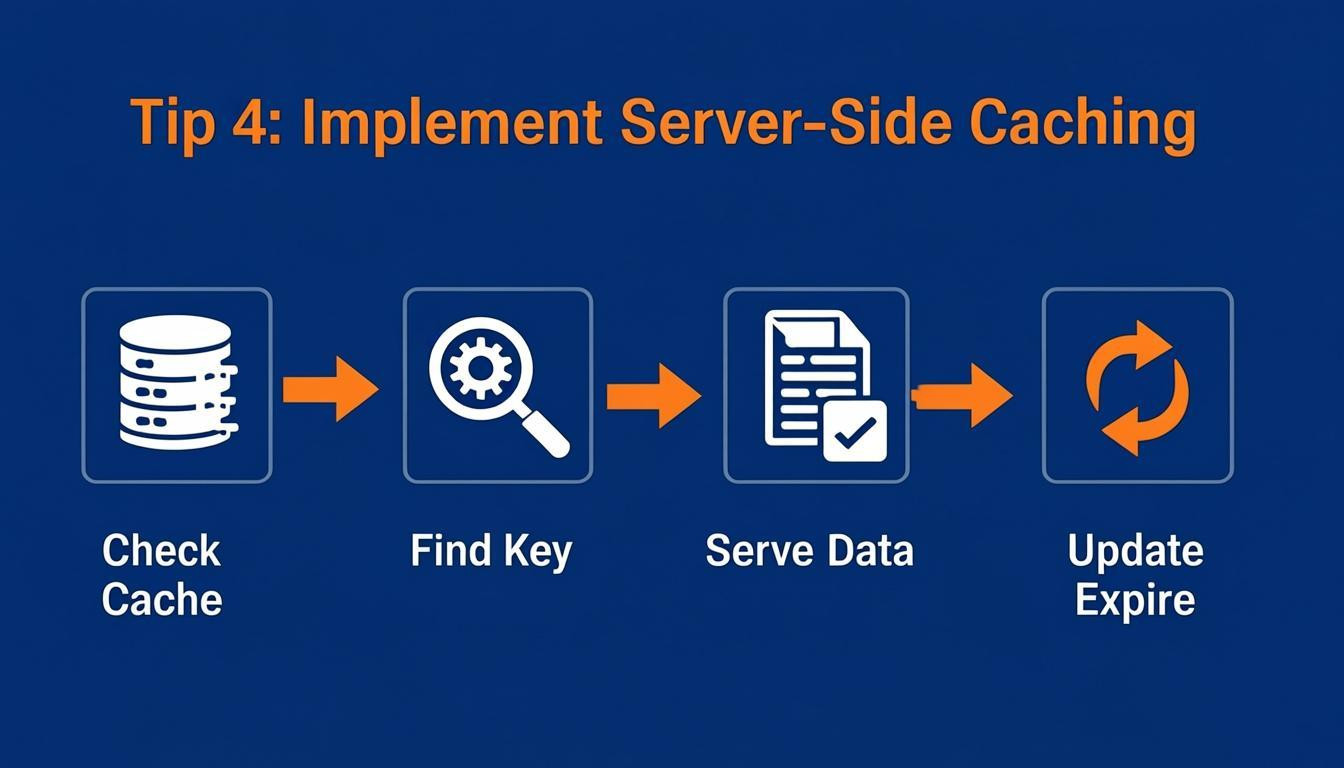
Tip 4: Implement Server-Side Caching
Server-side caching is often the easiest way to improve your site performance because it drastically reduces the processing load on your server. Instead of rebuilding a page from scratch for every visitor, the server stores fully generated HTML pages or database query results in memory. This allows the site to deliver content almost instantly to returning visitors, which is particularly beneficial for websites experiencing high traffic or utilizing resource-intensive databases.
To implement this effectively, you must manage how long assets are stored and ensure stale content is not served to users.
- Set proper cache-control headers: Define expiration times for static assets like images and CSS files to ensure browsers store them locally.
- Use platform-specific tools: If you use a Content Management System, install plugins designed to handle caching rules automatically.
- Regularly clear the cache: Establish a routine to purge the cache after publishing updates to prevent users from seeing outdated versions of your site.
For WordPress users, plugins such as W3 Total Cache or WP Super Cache simplify this process by offering built-in options to manage these settings without touching code.
Optimize Your Hosting Speed
Hostinger provides LiteSpeed servers and advanced caching to instantly boost load times and handle traffic spikes.
Tip 5: Reduce Cumulative Layout Shift (CLS)
Reducing Cumulative Layout Shift (CLS) is the easiest way to improve your site performance by ensuring visual stability. This metric quantifies how much page content jumps around as it loads, a major source of user frustration. To provide a good experience, pages should maintain a CLS score of 0.1 or less. Sudden shifts often occur when resources load asynchronously or when DOM elements are injected without reserved space.
To fix this, you must explicitly define size attributes for media and reserve space for dynamic ads. Ensuring the browser knows exactly how much space an element occupies prevents the layout from shifting once the content downloads.
- Include width and height dimensions on all images and video elements to allow the browser to reserve the correct amount of space in the layout.
- Reserve space for ad slots and iframes using CSS to prevent layout jumps when advertisements load.
- Avoid inserting content above existing content unless there is a user interaction, such as a click, triggering the change.
Tip 6: Audit and Remove Excessive Third-Party Scripts
Excessive third-party scripts are a major hidden cause of slow page speeds. While often necessary for functionality, these scripts—such as chat widgets, tracking pixels, or social media feeds—force browsers to process extra data before displaying content. Some sites even load multiple JavaScript libraries when only one is required, significantly increasing the processing load. Implementing this strategy is arguably the easiest way to improve your site performance because it often requires simple deletion rather than complex code rewriting.
To optimize your site, conduct a thorough audit of your current integrations and remove anything that does not directly support your core business goals. You should also prioritize when scripts run to ensure they do not block critical page rendering.
- Remove unused tools: Delete old plugins, abandoned tracking codes, and third-party widgets you no longer actively use or need.
- Delay non-critical loading: Configure non-essential scripts to load only after the main page content has fully appeared.
- Consolidate files: Combine multiple JavaScript or CSS files into single files to reduce the number of server requests and speed up parsing times.
Tip 7: Monitor Performance with Testing Tools
Regularly analyzing your website is often cited as the easiest way to improve your site performance. Speed is a critical ranking factor, but you cannot optimize what you do not measure. Continuous monitoring helps identify bottlenecks like large image files or unoptimized scripts that slow down load times. Using diagnostic tools provides a clear score and specific recommendations for enhancement.
Implement a routine testing schedule to maintain optimal speed. Focus on tools that analyze Core Web Vitals, such as First Input Delay (FID) and Cumulative Layout Shift (CLS), to ensure a smooth user experience. These platforms often provide actionable steps, such as compressing files or removing unnecessary code.
- Use free analysis tools to generate performance reports
- Check metrics like page load time, total page size, and request counts
- Follow specific recommendations to optimize images and minimize CSS or JavaScript
- Test from different locations to understand global performance
Treat performance optimization as an ongoing process rather than a one-time fix. Consistent testing ensures your site remains fast, secure, and competitive in search results.
Conclusion
Optimizing website performance requires a commitment to continuous measurement and technical refinement rather than a one-time fix. Modern strategies must address key metrics like visual stability, ensuring that content does not jump around during the loading process, which significantly enhances user satisfaction. Furthermore, deferring non-essential JavaScript prevents it from blocking the main thread, directly improving responsiveness and interaction scores. Organizations that view speed as a strategic capability consistently outperform competitors who neglect these essential upgrades.
Implementing code optimization remains one of the easiest ways to improve your site performance. Simple adjustments can yield immediate results, such as:
- Removing unused scripts and redundant libraries
- Combining multiple CSS or JavaScript files into one
- Minifying code to reduce overall file sizes
By streamlining the data a browser needs to process, pages load faster and operate more smoothly. Real-world examples demonstrate that transforming bloated code into lean, compliant architectures delivers measurable gains. Do not let outdated technical debt slow down your growth. Begin auditing your scripts and refining your codebase today to secure a faster, more reliable future for your website.

Comments
0