
Introduction
Website speed is everything when it comes to keeping visitors happy and climbing search engine rankings. Yet, many site owners still rely on a single origin server to handle traffic from all over the world. While Content Delivery Networks (CDNs) are standard tools for spreading out the load and cutting down lag, a surprising number of websites run without them. This often results in sluggish load times for anyone located far from the central server. Understanding why your site is not using cdn technology is the first step toward spotting the bottlenecks in your current setup.
Running without a CDN means every single user request travels directly to your origin server, which increases the risk of congestion during traffic spikes. Without a network of edge servers distributed geographically, data has to travel longer physical distances, slowing down the Time to First Byte (TTFB). Plus, modern performance optimizations often require advanced protocols like HTTP/3 and automated compression—features that are tough to implement effectively on a standalone server. Fixing these gaps is essential for delivering a fast, reliable user experience.
Reason 1: Misconceptions About Complexity and Implementation Barriers
A major reason why your site is not using a CDN often comes down to the mistaken belief that integrating one requires advanced technical skills or significant downtime. Many site owners assume that configuring a global network is simply too complex for their current setup. The reality is that modern platforms have streamlined this process, allowing users to deploy content delivery networks without tearing apart their core infrastructure. While concerns about cache invalidation and debugging are valid for sites with frequent updates, standard implementations are generally straightforward.
To get past these perceived barriers, focus on choosing user-friendly solutions that handle optimization automatically. Look for providers that offer simple onboarding through plugins or DNS changes, rather than requiring complex server configurations.
- Start with a managed provider: Choose a service with a free tier that offers one-click integration for popular platforms like WordPress.
- Enable automatic optimization: Turn on built-in features for minification, Gzip or Brotli compression, and image resizing right away.
- Leverage modern protocols: Make sure HTTP/2 or HTTP/3 is enabled to boost performance without needing to write custom code.
- Test gradually: Route a small percentage of traffic to the CDN first to validate stability before doing a full rollout.
Reason 2: Overlooking Origin Server Bottlenecks and DNS Setup
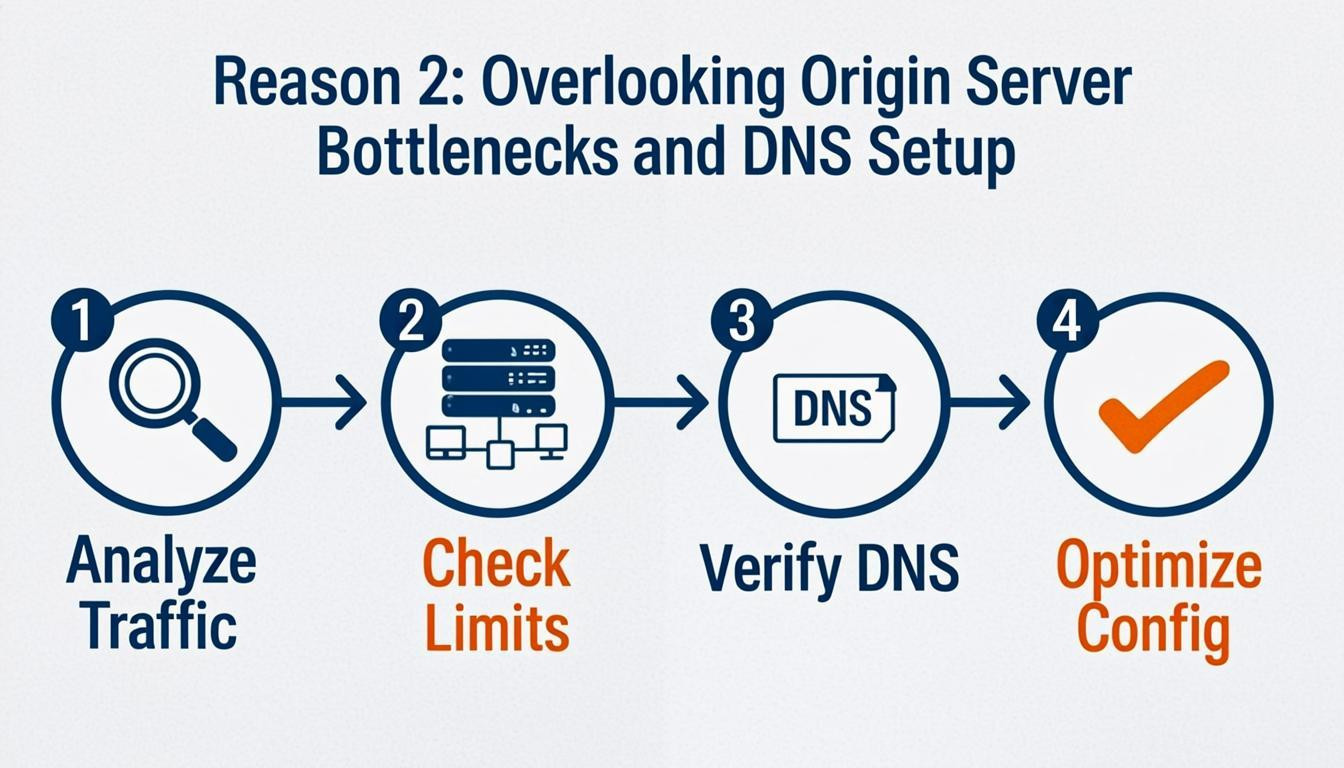
A common reason why your site is not using a CDN effectively comes down to misconfigured DNS settings and unoptimized origin servers. If your Domain Name System doesn't correctly route traffic through the CDN edge nodes, requests bypass the network entirely and hit your main server directly. This completely negates the benefits of reduced latency and bandwidth optimization. Furthermore, if your origin server suffers from slow response times or a high Time to First Byte (TTFB), the CDN won't be able to deliver content quickly when cache misses occur.
To fix this, you need to ensure the CDN acts as the primary gateway for your traffic. This involves updating your domain's CNAME records to point to the CDN provider rather than your hosting server directly. Without this specific routing, users will always fetch data from the source location.
Take these steps to fix origin and DNS issues:
- Update DNS Records: Change your domain's CNAME record to point to your CDN provider's assigned URL.
- Minimize TTFB: Optimize your origin server's database and application code to reduce the initial time to first byte.
- Set Cache Headers: Implement strict `Cache-Control` and `Expires` headers on your origin to instruct the CDN how long to store content.
- Monitor Origin Load: Scale your server infrastructure to handle traffic spikes without crashing when the CDN pulls fresh content.
Reason 3: Poor Cache Configuration and Dynamic Content Handling
Even if a CDN is active, improper settings often prevent it from serving content efficiently. A common error is failing to define appropriate cache-control directives on the origin server, which leaves the CDN unsure how long to store files. Additionally, treating all dynamic content as uncacheable forces repeated requests to the origin server, which ramps up latency and load. This misconfiguration is a primary factor in understanding why your site is not using cdn capabilities to their fullest potential.
To resolve this, implement strategies that balance freshness with speed. Use partial caching to serve static elements like CSS and images from the edge while generating dynamic components on-the-fly. For rapidly changing content where slight staleness is acceptable, configure microcaching with very short Time-To-Live (TTL) values. You should also leverage edge computing capabilities to handle personalized content directly at the edge rather than querying the origin for every single user.
Key takeaways for optimization:
- Set explicit cache headers on your origin server to guide CDN behavior.
- Apply microcaching for frequently updated content to reduce origin load.
- Separate static and dynamic elements to maximize cache hit ratios.
Reason 4: Cost Concerns and Lack of Transparent Pricing Models
Many site operators avoid implementing a Content Delivery Network because they fear unpredictable billing. Pricing structures often involve complex variables, such as traffic tiers, request fees, and separate charges for security features. This lack of transparency can lead to unexpectedly high invoices, especially if the origin server is misconfigured. For instance, poor cache settings might force repetitive content downloads from the origin, drastically increasing costs without actually improving performance. Understanding these potential financial traps explains why your site is not using a cdn.
To mitigate financial risks, focus on providers with clear billing models and keep a close eye on your usage patterns.
- Analyze traffic patterns: Calculate your expected bandwidth and request volume before selecting a plan.
- Compare tiers: Look for providers that offer competitive pricing with transparent billing or a free tier for smaller projects.
- Optimize caching rules: Ensure strict cache controls to prevent redundant origin fetches that drain resources.
- Review add-ons: Determine if you truly need paid add-ons like advanced WAF or edge computing for your current scale.
By selecting a plan that aligns with your actual usage and optimizing cache settings, you can control costs while still gaining significant performance benefits.
Reason 5: Neglecting Ongoing Performance Monitoring and Maintenance
Failing to monitor performance after implementation is a major reason why your site is not using a CDN effectively. Simply enabling the service isn't enough; continuous oversight is required to ensure content delivery remains optimal. Many administrators overlook the need to track origin server health and CDN metrics, leading to undetected latency or configuration drift. Regular monitoring prevents the network from becoming a bottleneck rather than a solution.
To maintain peak performance, you have to actively manage both the CDN edge and the origin server. Implementing proper caching headers and optimizing server response times reduces the time to first byte (TTFB). Furthermore, ignoring modern protocols and compression standards can limit your potential speed gains.
Implement these actionable steps to ensure ongoing success:
- Track Origin Health: Continuously monitor origin server response times and availability to prevent the CDN from serving stale or error content.
- Optimize Protocols: Leverage HTTP/2 and HTTP/3 for improved connection performance.
- Enable Compression: Configure Brotli or Gzip compression at the CDN level to reduce payload sizes.
- Automate Image Handling: Implement automatic WebP or AVIF conversion and resizing to speed up load times.
- Review Logs: Regularly analyze traffic and error logs to identify and resolve caching anomalies quickly.
Conclusion
Speed Up Your Site Today
Hostinger offers built-in CDN integration and fast servers to eliminate lag and fix slow load times instantly.
Implementing a Content Delivery Network is essential for achieving superior website speed, security, and scalability. If you have been wondering why your site is not using cdn, the answer often lies in navigating the complex landscape of available providers and configurations. From free tiers suitable for small businesses to enterprise-grade solutions offering extensive global server networks, there is a fit for every technical requirement and budget.
To move forward, focus on selecting a provider that aligns with your specific operational needs and future goals. A properly integrated CDN leverages advanced features to ensure a faster, smarter, and safer web experience for your users. Take the following steps to optimize your delivery strategy immediately:
- Modernize protocols: Implement HTTP/2 and HTTP/3 for improved connection speeds.
- Enhance compression: Configure Brotli or Gzip compression at the network edge.
- Optimize media: Enable automatic WebP or AVIF conversion and image resizing.
- Minify code: Set up automatic CSS and JavaScript minification to reduce payload sizes.
- Monitor continuously: Track performance metrics to identify and resolve latency issues proactively.
Don't let configuration complexities hold your performance back. Evaluate your current infrastructure, choose a compatible provider, and deploy a CDN today to secure a competitive advantage.


Comments
0