

Introduction
Imagine waking up to find that someone has broken into your most sensitive accounts. The scary part? It wasn't a sophisticated hack—it happened because your login page is not protected against common vulnerabilities. We often assume our credentials are safe, but without robust security measures, the door is left wide open for cyber threats. Attackers love weak authentication processes, making it essential to take a hard look at your current defenses.
Modern security requires much more than just a username and password. To truly stay safe, your login system needs advanced features that act as multiple layers of defense. Without them, your sensitive data is sitting duck for brute force attacks and credential theft.
You know your login environment is secure when it includes:
Secure Your Login Page Today
Hostinger provides free SSL and advanced security features to protect your site from threats.
- AES-256 encryption to safeguard data during transmission and storage
- Multi-factor authentication (MFA) requiring a second form of verification, like a code from an authenticator app or a biometric scan
- Regular independent security audits to verify vulnerabilities are found and patched quickly
Relying on simple passwords just doesn't cut it anymore. If your authentication strategy is missing these elements, you are risking a major security breach. Taking immediate action to upgrade your login mechanisms is the only way to ensure your data stays private.
Fixe 1: Enforce HTTPS/SSL Encryption for All Data
If your login page is not protected, sensitive data like usernames, passwords, and personal details travels across the internet as plain text. This lack of encryption makes it incredibly easy for attackers to perform "man-in-the-middle" attacks, intercepting credentials before they ever reach your server. Ensuring all data transmission uses HTTPS is a foundational security measure that prevents unauthorized eavesdropping on your users' sessions.
To fix this vulnerability, you need to obtain an SSL certificate and configure your server to redirect all HTTP traffic to HTTPS. This ensures every connection is encrypted using industry-standard protocols like AES-256. You should also implement HSTS (HTTP Strict Transport Security) headers to force browsers to connect only via secure channels, preventing protocol downgrade attacks.
- Install a valid SSL certificate on your web server to enable HTTPS.
- Set up automatic 301 redirects to route users from the insecure HTTP version to the secure HTTPS version.
- Update internal links and resources to ensure all images, scripts, and stylesheets load via HTTPS to avoid "mixed content" errors.
- Enable HSTS headers to instruct browsers to never load the site over an insecure connection.
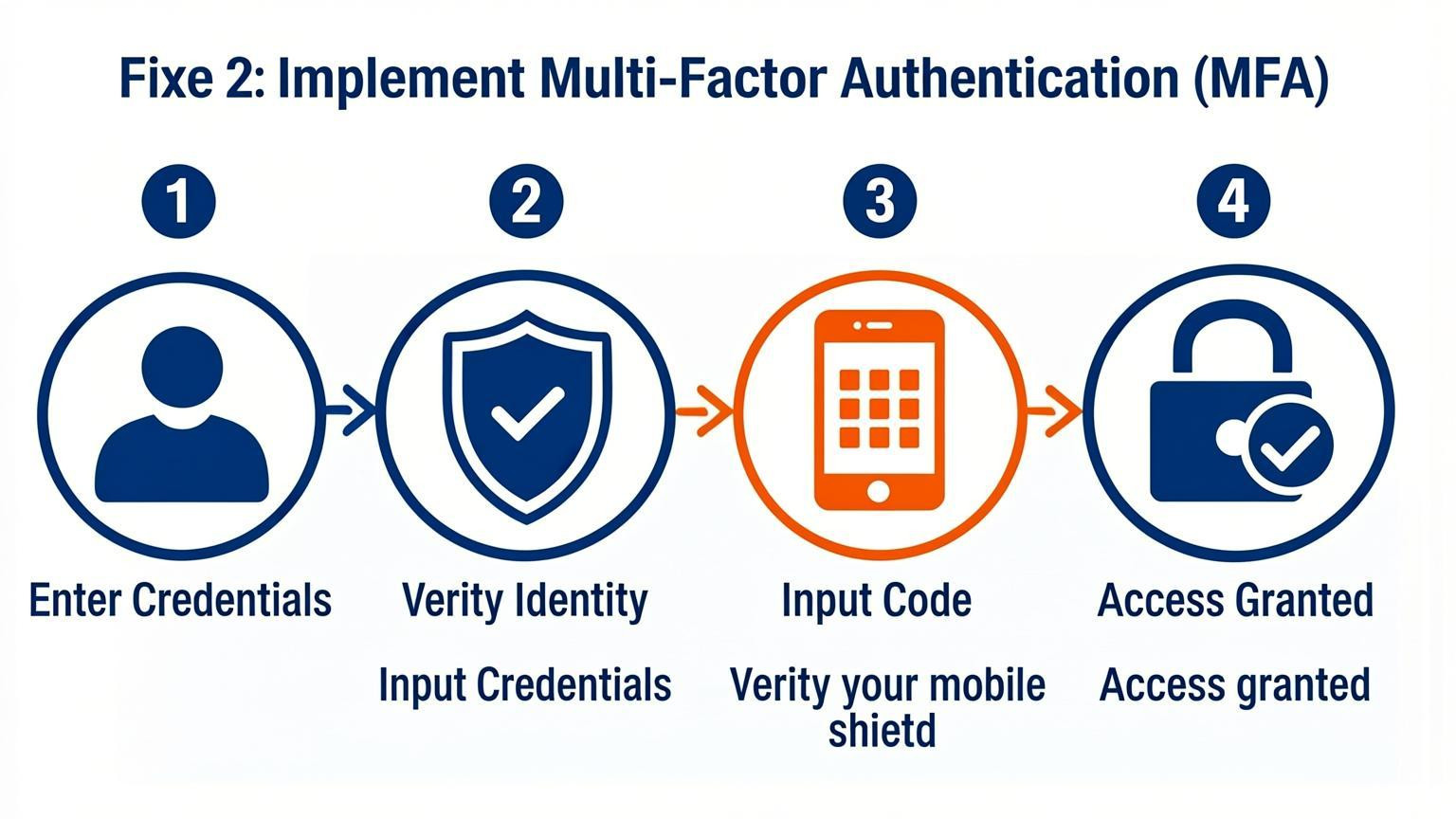
Fixe 2: Implement Multi-Factor Authentication (MFA)
If your login page is not protected by multi-factor authentication (MFA), you are leaving a significant gap for credential stuffing and brute force attacks. Passwords alone are often not enough because people tend to reuse them across breached databases. Adding a second layer of verification ensures that even if a password is compromised, unauthorized access is blocked without that second factor.
To effectively secure user accounts, implement Time-based One-Time Passwords (TOTP) or authenticator apps rather than relying solely on SMS, which can be susceptible to interception. Ensure your system supports standard protocols to integrate seamlessly with existing user databases. You must also establish clear recovery procedures for users who lose access to their second factor.
- Require MFA for Admins: Enforce mandatory 2FA or MFA for all administrative and privileged accounts immediately.
- Support Multiple Methods: Offer email codes, authenticator apps, and biometric logins where possible to balance security with user convenience.
- Verify Recovery Flows: Regularly test account recovery processes to ensure they do not become a backdoor for attackers.
Fixe 3: Secure Frontend Form Attributes
Frontend attributes play a critical role in user security, yet they are often neglected. If these are configured incorrectly, your login page is not protected against modern browser warnings or credential theft. Standardizing input types and ensuring proper transmission methods are essential for maintaining data integrity during the authentication process.
You must explicitly define input behaviors to assist password managers and prevent data leakage over insecure channels. Implement the following changes immediately:
- Enforce POST requests: Ensure all login forms use `method="POST"`. Never use `GET`, as it exposes credentials in the URL and server logs.
- Add autocomplete attributes: Include `autocomplete="current-password"` on password fields. This helps browsers distinguish between new and existing credentials, improving user experience and security.
- Validate form actions: Verify that the form action points to a secure HTTPS endpoint to prevent mixed content warnings.
By refining these attributes, you close gaps that automated tools and attackers love to exploit.
Fixe 4: Integrate Zero-Trust Admin Panels
One critical oversight is assuming that your login page is not protected simply because it requires a password. To truly secure administrative access, you must assume no user or network is trustworthy by default. Relying solely on standard credentials leaves entry points exposed to brute force or credential stuffing attacks.
Instead of publishing standard admin directories online, implement an Identity-Aware Proxy (IAP). This technology ensures the login page remains invisible until strict identity verification occurs. By demanding hardware-based Multi-Factor Authentication (MFA), such as YubiKeys, before the panel loads, you create an impenetrable barrier against automated bots and unauthorized remote users.
- Hide administrative endpoints: Ensure your `/admin` page is not publicly accessible without passing through the proxy first.
- Require hardware keys: Mandate physical security keys (like YubiKeys) for all admin logins to prevent remote account takeovers.
- Apply the Principle of Least Privilege (PoLP): Grant developers access only to the specific code repositories they need, avoiding "keys to the kingdom" permissions that compromise the entire system if one account is breached.
Fixe 5: Strengthen Password Policies and Account Lockouts
Weak authentication protocols are a primary reason your login page is not protected against unauthorized access. Attackers frequently exploit weak credentials or default passwords to gain entry, making strict controls necessary. Without robust policies, systems remain vulnerable to brute force and credential stuffing attacks.
Implementing specific technical barriers helps mitigate these risks effectively.
- Enforce complex requirements: Mandate a minimum password length and ensure no default passwords remain active. Users must avoid reusing passwords across different services to prevent cross-platform exploitation.
- Configure account lockouts: Automatically lock accounts after a specific number of failed login attempts. This stops attackers from endlessly guessing credentials through automation.
- Monitor for anomalies: Set up alerts for suspicious activities, such as rapid spikes in failed logins or access attempts from unusual geographic locations.
- Invalidate sessions properly: Ensure that session tokens are invalidated immediately upon logout and after periods of inactivity to prevent session hijacking.
These measures strengthen the authentication barrier, significantly reducing the likelihood of a successful breach.
Fixe 6: Adopt Single Sign-On (SSO) with Advanced Security
Relying on a single password for every service creates a dangerous single point of failure. If your login page is not protected by advanced authentication layers, a compromised credential grants attackers immediate access to your entire ecosystem. Adopting Single Sign-On (SSO) consolidates identity management, allowing users to access multiple applications with one secure login while enforcing centralized security protocols.
To maximize security, you must configure SSO with robust safeguards. Implement Multi-Factor Authentication (MFA) to require a second form of verification, such as a code from an authenticator app or biometric data. This ensures that even if a password is stolen, unauthorized access is blocked. Furthermore, enforce real-time monitoring to detect and respond to suspicious login attempts immediately.
Key actions to implement include:
- Enforce strict MFA policies for all SSO access points
- Utilize adaptive risk assessments to flag anomalous user behavior
- Consolidate user access to simplify revocation during security incidents
- Train users on the benefits of these security measures to encourage adoption
These steps transform SSO from a convenience feature into a critical defense mechanism, significantly reducing the risk of data breaches.
Fixe 7: Monitor Session Security and Token Integrity
If your login page is not protected, compromised sessions allow attackers to bypass authentication entirely. To mitigate this risk, you must actively monitor authentication patterns and token issuance to detect anomalies that signal a breach. Security teams should establish baselines for normal user behavior and immediately revoke sessions or tokens when suspicious activity is identified.
Regularly testing the randomness and entropy of session tokens prevents prediction attacks. Ensure sessions are invalidated both immediately after logout and following a period of inactivity. This limits the window of opportunity for an attacker to reuse a stolen identifier. Additionally, verify that session identifiers are not exposed in URLs or server logs, which could lead to unintended fixation or hijacking.
Key actions to implement include:
- Test token randomness: Verify high entropy in session token generation to prevent brute-force or prediction attacks.
- Enforce invalidation: Ensure sessions terminate immediately upon logout and after configured timeout periods.
- Check for fixation: Test that session IDs change upon successful authentication to prevent fixation attacks.
- Audit logging: Confirm session IDs are not recorded in URLs, referrer headers, or application logs.
Conclusion
Implementing strong authentication measures is essential to ensure your login page is not protected solely by weak passwords. Cyber threats continue to evolve, making basic credentials insufficient for safeguarding sensitive data. By adopting advanced security tools, you can significantly reduce the risk of unauthorized access and data breaches.
To secure your digital environment effectively, consider integrating the following solutions:
- Password Managers: Utilize tools that offer AES-256 encryption and secure sharing to manage complex credentials effortlessly.
- Multi-Factor Authentication (MFA): Deploy MFA through hardware tokens or authenticator apps to add an extra layer of verification beyond simple passwords.
- Identity and Access Management (IAM): Adopt comprehensive IAM platforms to control user access across diverse cloud environments and SaaS applications.
Do not wait for a security breach to expose vulnerabilities in your system. Evaluate your current authentication strategies today and upgrade to enterprise-grade security software. Strengthening your login defenses now will protect your organization and users from future cyber threats.


Comments
0